Guide
How to label storage bins so you know what is inside
By the WhereKept team. Updated September 14, 2026.
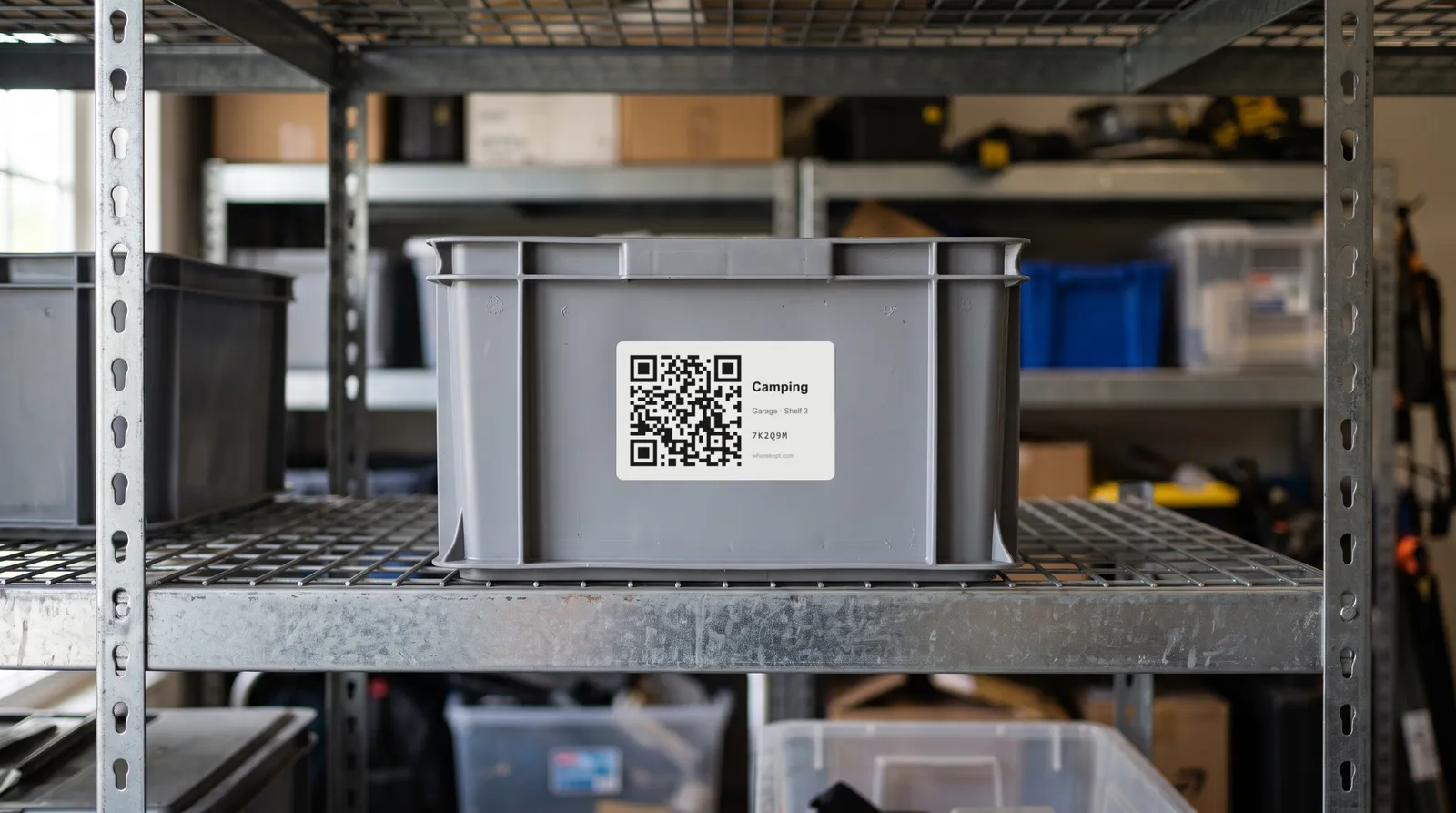
A bin labeled “Garage stuff” tells you nothing when you are standing in front of eight of them. Good labels do two jobs: they tell you what is inside without opening the bin, and they tell you where the bin goes back. Which kind of label to use depends on how often the contents change.
Three ways to label a bin
Written labels, with a marker, masking tape, or a label maker, are right for bins that hold one kind of thing that does not change: “Christmas ornaments,” “Winter hats,” “Paint.” They are cheap, anyone can read them, and they never need a phone.
Clear bins with a short label work when you can see enough of the contents to recognize them. They are less helpful for small things, for bins on high shelves, and anywhere the bins are stacked.
QR code labels are for bins with mixed contents that change: the camping bin, the cords bin, the bin of things from the last move. The label stays the same, and the list of what is inside lives on your phone, where it can be searched and updated.
What makes any label useful
- Name the contents, not the container. “Tent, stakes, lantern” is better than “Bin 4.” If you number bins, keep a list of what each number holds.
- Put the label where you see it on the shelf. That is usually the short end facing out, not the lid. Label two sides if the bin gets turned around.
- Include where the bin lives. “Garage, shelf 3” on the label means it goes back to the same spot, and the next person finds it.
- Protect labels in the garage and basement. Cover paper labels with clear packing tape. Damp cold spaces peel labels off within a season.
- Label the bins you open least. The bin you open every week does not need a label. The bin on the top shelf you open in December does.
How to make QR code labels yourself
- Make a list of what is in each bin, one sheet or one note per bin.
- Copy the link to each list.
- Paste each link into a free QR code generator and download the code.
- Print the codes at least an inch square, cut them out, and tape one to each bin with the bin’s name written beside it.
- Scan each one before you stack the bins, to make sure it opens the right list.
This works, with two catches. Anyone who scans the code, or finds the link, can usually see the list. And there is no way to search across bins: to find the tent you still scan bins until you hit the right one.
How WhereKept labels work
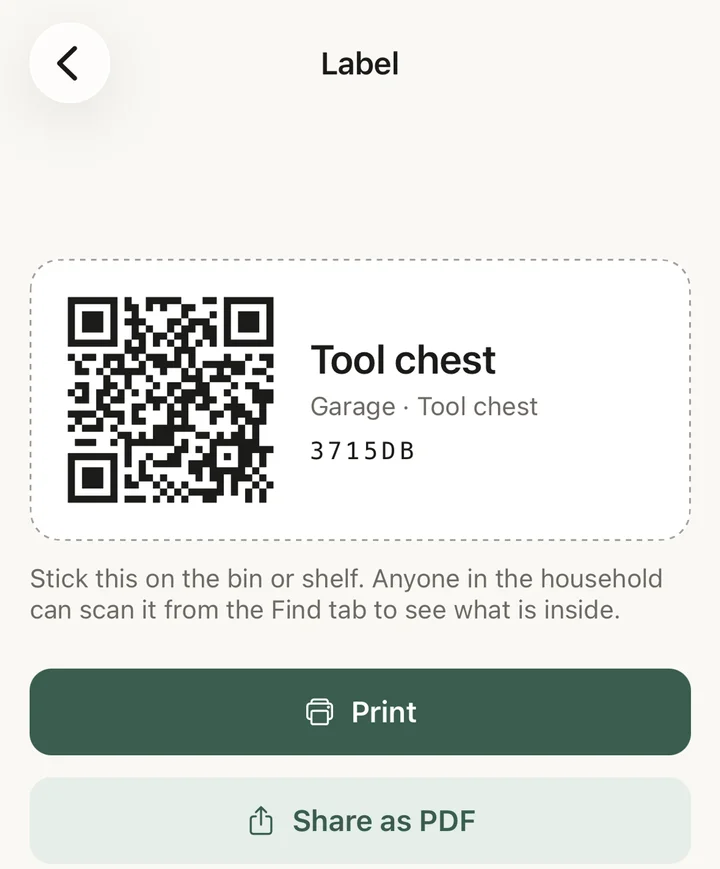
In WhereKept, every place in your house has a label code: each bin, shelf, drawer, and cabinet. Open the place, tap its label, and print it, or share it as a PDF. The label shows a QR code, the place’s name, its address, and a short code.
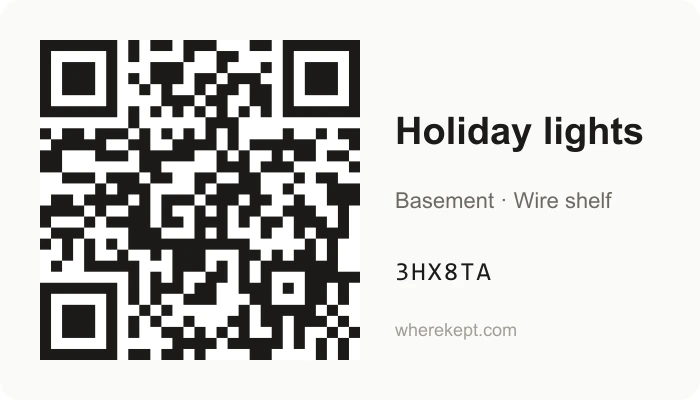
Stick it on the bin. To see what is inside, scan it from the Find tab in the app. Anyone in your household can do the same, and the contents are always current, because moving an item in or out of the bin is what updates them. Nobody outside the household can see inside by scanning.
Because every item also has an address, you rarely need to scan at all. Search for the tent and WhereKept answers with the bin and the shelf. The label is for the moment you are standing in front of a bin and want to know what is in it. For keeping track of the rest of the house, see how to remember where you put things, and if several people share the bins, a home inventory the whole family can use. For the bins you open once a year, see how to store holiday decorations, and for a move, QR labels for moving boxes.
Questions
- Do people need an app to scan a QR code label?
- Any phone camera can read the code. What it opens depends on the label. A homemade code opens whatever link you made, often a shared document. A WhereKept label opens the app for members of your household, and shows everyone else only a page saying the label belongs to a WhereKept household, so the contents stay private.
- What happens when the contents of a bin change?
- With a written label you rewrite it. With a QR label that points to a list, the label stays the same and you update the list. In WhereKept, moving an item into or out of the bin updates what the label shows.
- How big should a QR code label be?
- At least one inch square is easy for a phone to scan from a normal distance. A WhereKept label is 3.5 by 2 inches, with the code on the left and the bin's name and address on the right.
- Are labels part of the free WhereKept plan?
- Yes. Printing and scanning labels are included on the free plan, which holds 25 items for one person.